
BLACK FRIDAY: 50% OFF all Pro plans Code: BLACKFRIDAY50
Pro from $10 a year or $30 lifetime, no code needed: Code: BLACKFRIDAY50
Ends Cyber Monday, 30 Nov. Lock in the price today. Code: BLACKFRIDAY50
Get 50% Off
Free widget

Recipe Card Widget for Elementor Free

A recipe with tick off ingredients, steps and a print button.

Overview

What Recipe Card does

Recipe Card shows a full recipe: name, image, prep, cook and total time, servings, calories, ingredients that cooks can tick off, numbered steps and notes. A print button prints only the recipe, and Recipe structured data helps search engines show it as a rich result.

Live demo

See it in action

Recipe Card widget by Bright Addons
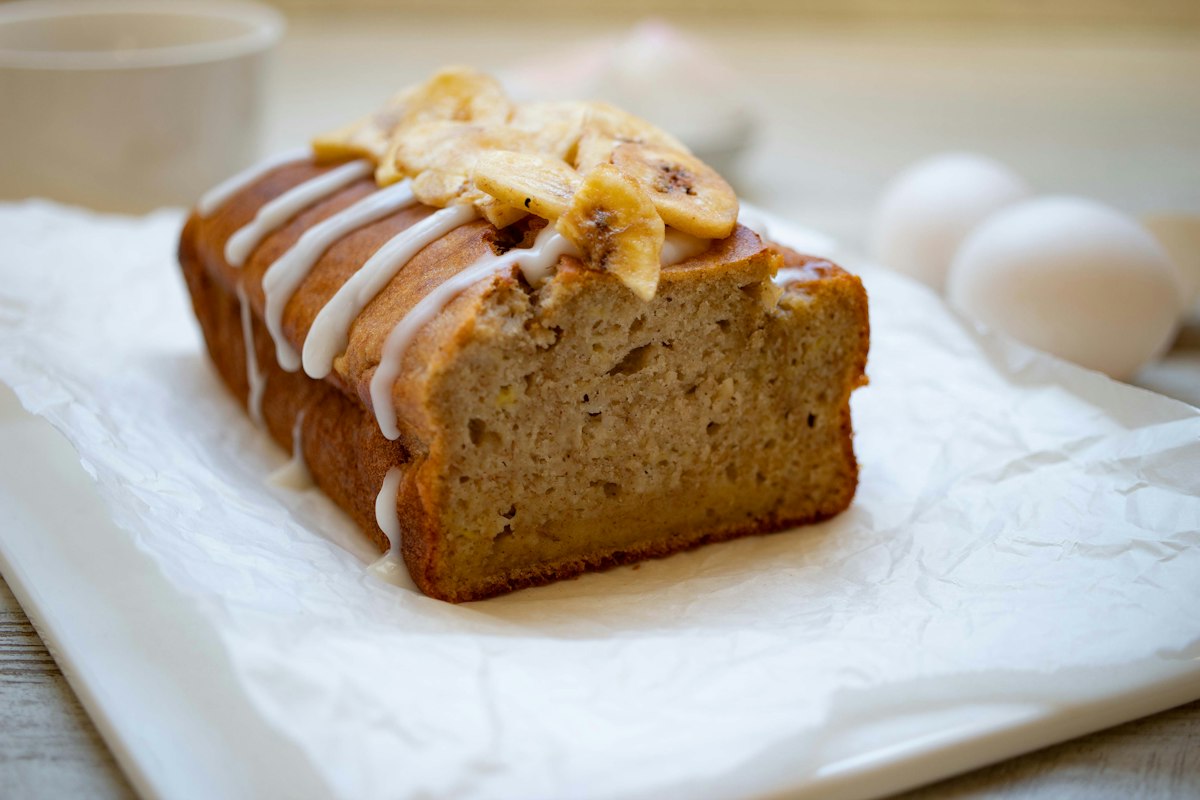
A loaf of banana bread on a white napkin

Dessert American

Easy Banana Bread

Soft, moist banana bread made in one bowl. Ready for the oven in 15 minutes.

Prep
15 mins
Cook
1 hr
Total
1 hr 15 mins
Servings
10 slices
Calories
240 kcal
Difficulty
Easy

Ingredients

Instructions

  1. Heat the oven to 175 °C and line a loaf tin with baking paper.
  2. Mash the bananas in a large bowl, then stir in the melted butter, sugar, egg and vanilla.
  3. Sprinkle in the baking soda, add the flour and stir until just combined.
  4. Pour into the tin and bake for about 60 minutes, until a skewer comes out clean.
Features

What it can do

  • Prep, cook and extra time, with the total worked out for you.

  • Servings, calories, course, cuisine and difficulty.

  • Ingredients with group headings, and a checkbox on each one.

  • Numbered steps with optional step titles.

  • Notes with formatting.

  • Print button that prints only this recipe card.

  • Recipe structured data for search engines.

  • Image above or beside the name.

Use cases

When to use it

Food blogs

Add a complete recipe card to the end of each recipe post.

Restaurant sites

Share a signature dish with times and servings.

Cooking classes

Give students a printable recipe on the class page.

Setup

How to set it up

A few steps from adding the widget to a finished result.

  1. Drag the Recipe Card widget onto the page.

  2. In Recipe, type the Recipe Name, Short Description and add an Image.

  3. In Times and Servings, fill in the times, Servings and Calories per Serving.

  4. In Ingredients, add each ingredient, and switch on Group Heading for section titles.

  5. In Steps, add each Step and write any Notes.

  6. In Print and Search Engines, keep Print Button and Recipe Data for Search Engines on.

FAQ

Questions and answers

Does it add Recipe schema?

Yes. Keep Recipe Data for Search Engines switched on.

Does printing include the whole page?

No. The print button prints only the recipe card.

Can I split ingredients into groups?

Yes. Add an item, type the group name and switch on Group Heading.

Keep exploring

Related widgets

Show code with syntax colors and a copy button.

Stat Card

Free

A key number with change and a small trend chart.

Open positions with team filters and apply buttons.

Headlines with rotating words or a hand-drawn highlight shape

Free forever

Recipe Card is free

It is one of 53 widgets in the free Bright Addons plugin. Each widget loads its code only on pages that use it.