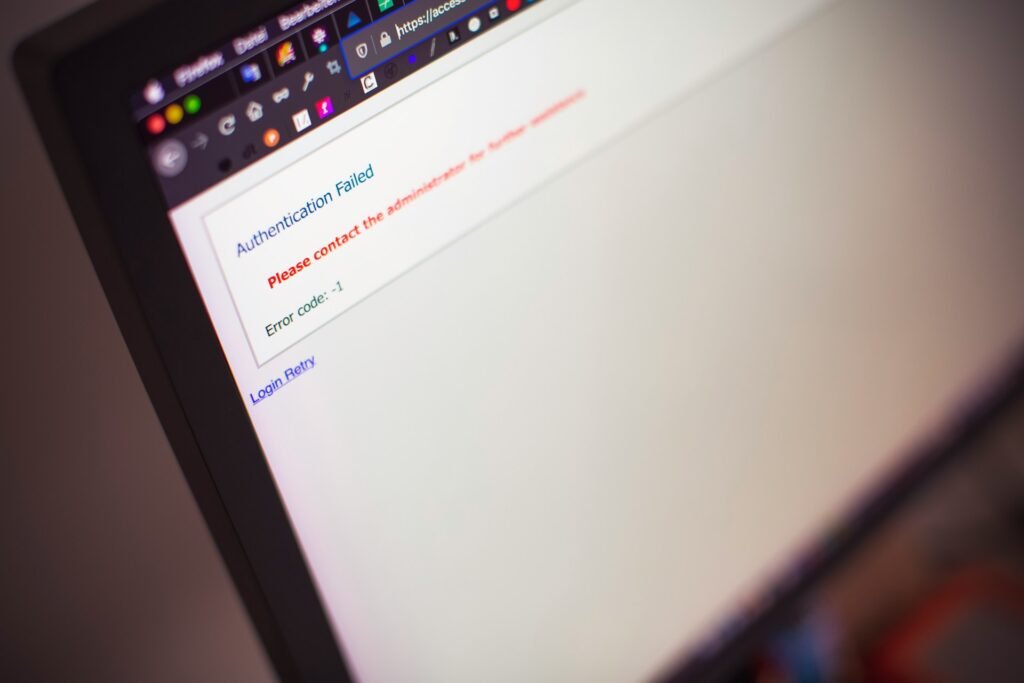
You click your own website and, instead of your homepage, Chrome shows “This page isn’t working” with the code ERR_TOO_MANY_REDIRECTS. Firefox says “The page isn’t redirecting properly.” Safari gives up with “Too many redirects occurred.” If you are seeing too many redirects on your WordPress site, the good news is that this error is almost never a sign of a hack or lost data. It is a settings conflict, and you can usually fix it in under 30 minutes.
This guide explains what the error means in plain words, then walks through 8 fixes in the order most likely to solve it. They work on any WordPress site, including sites built with Elementor.
What does “too many redirects” mean?

A redirect is a signpost. When a browser asks for page A, the server can say “go to page B instead.” That is normal and useful: it moves visitors from http to https, or from an old URL to a new one.
A redirect loop happens when the signposts point at each other. Page A says “go to B,” and B says “go back to A.” The browser follows the loop a few dozen times, then stops and shows the error to protect you.
In WordPress, the loop is nearly always one of these:
- Your site address is set to http in one place and https in another.
- Your CDN (often Cloudflare) and your server disagree about HTTPS.
- Two plugins, or a plugin and a server rule, both force a redirect.
- An old redirect is stuck in your browser cookies or cache.
Before you start: two quick safety steps
- Take a backup if your host lets you, even from its control panel. Several fixes below touch files.
- Test in a private window or on your phone using mobile data. This tells you whether the problem is your browser or the site itself.
Fix 1: Clear cookies and cache for your site
Start here because it takes one minute. Browsers remember redirects. If your site had a bad redirect for a few minutes yesterday, your browser may still be replaying it.
In Chrome, click the icon left of the address bar, open Site settings, and choose Delete data. Then try again. If the site opens in a private window but not in your normal one, this is your fix.
Fix 2: Purge every cache layer
WordPress sites often have three caches stacked up: a caching plugin, your host’s server cache, and a CDN. Any one of them can keep serving an old redirect after you fix the real cause.
Purge them in this order: plugin cache, host cache (from your hosting dashboard), then CDN cache. Do this again after every fix below, or you may fix the problem and not see it.
Fix 3: Check your WordPress Address and Site Address

Go to Settings > General and look at two fields: WordPress Address (URL) and Site Address (URL). They must match each other and match the way your site really loads.
Common mistakes:
- One says
http://and the other sayshttps://. - One has
wwwand the other does not. - The domain changed after a migration and one field still shows the old one.
If you cannot reach wp-admin because of the loop, set the values in wp-config.php instead. Open the file with your host’s file manager or FTP and add these lines above the “That’s all, stop editing” comment:
define( 'WP_HOME', 'https://example.com' );
define( 'WP_SITEURL', 'https://example.com' );
Use your own domain, with no slash at the end. According to the official WordPress documentation, these constants override the values stored in the database without changing them, so the old values return if you remove the lines. Once you can log in, fix the fields in Settings and delete the lines if you like.
Fix 4: Fix your Cloudflare SSL mode
If your site uses Cloudflare, this is the most common cause of all. Cloudflare’s own troubleshooting guide explains it clearly.
In Flexible mode, Cloudflare talks to your server over plain HTTP. If your server or a WordPress plugin then forces every HTTP request to HTTPS, the two keep bouncing the visitor back and forth.
| Cloudflare SSL/TLS mode | How Cloudflare reaches your server | When it loops | Fix |
|---|---|---|---|
| Flexible | HTTP | Your server forces HTTPS | Switch to Full (strict) or remove server HTTPS redirects |
| Full | HTTPS | Your server forces HTTP | Remove HTTP redirects on the server |
| Full (strict) | HTTPS with a valid certificate | Your server forces HTTP | Remove HTTP redirects on the server |
The best long term fix is to install a free SSL certificate on your hosting (most hosts include one) and set Cloudflare to Full (strict). Also check that you do not have conflicting Redirect Rules or old Page Rules, and that Always Use HTTPS is not fighting a server rule that sends visitors back to HTTP.

Fix 5: Turn off plugins without wp-admin
Redirect plugins, SSL plugins, security plugins, and caching plugins can all create loops, especially when two of them try to force HTTPS at once.
If you cannot log in, open your site files, go to wp-content, and rename the plugins folder to plugins-off. WordPress will disable every plugin. If the site loads, rename the folder back, then go to the plugins screen and reactivate plugins one at a time until the loop returns. The last one you turned on is the cause.
Tip: if your host offers a staging site, do this testing there first so visitors never see a broken page.
Fix 6: Check your .htaccess file
On Apache and LiteSpeed servers, the .htaccess file in your site root can hold redirect rules. Hosts, old plugins and past developers often add HTTPS or www rules here, and they can clash with WordPress settings.
Download a copy first. Then replace the contents with the default WordPress block:
# BEGIN WordPress
RewriteEngine On
RewriteRule .* - [E=HTTP_AUTHORIZATION:%{HTTP:Authorization}]
RewriteBase /
RewriteRule ^index\.php$ - [L]
RewriteCond %{REQUEST_FILENAME} !-f
RewriteCond %{REQUEST_FILENAME} !-d
RewriteRule . /index.php [L]
# END WordPress
If the loop stops, add your own rules back one by one. On Nginx servers there is no .htaccess, so ask your host to check the server redirect rules for you.
Fix 7: Tell WordPress it is behind a proxy
Some setups, such as load balancers, reverse proxies and some CDNs, pass HTTPS traffic to your server as HTTP. WordPress then thinks the visit is insecure and redirects it to HTTPS, over and over.
Ask your host if your site sits behind a proxy. If it does, they can confirm the right fix, which often is a short snippet in wp-config.php that reads the forwarded protocol header so WordPress knows the original visit used HTTPS. Do not paste proxy code you found online without checking with your host, since a wrong header check can open a security gap.
Fix 8: Check your redirect rules and HSTS
If you still see the loop, look for redirects you set up yourself:
- A redirect plugin rule that sends a page to itself, or two rules that point at each other.
- A “www to non-www” rule at your host plus the opposite rule in Cloudflare.
- HSTS turned on while part of your setup still sends visitors to HTTP.
Use a free online redirect checker to paste your URL and see every hop. A healthy site shows one hop at most, for example http://example.com to https://example.com, then a 200 OK.
Quick checklist to fix too many redirects in WordPress
- Clear cookies and test in a private window.
- Purge plugin, host and CDN caches.
- Make both site URLs match, with https.
- Set Cloudflare to Full (strict) with a real certificate.
- Disable plugins by renaming the folder.
- Reset .htaccess to the default.
- Ask your host about proxy settings.
- Trace every hop with a redirect checker.
FAQ
Is ERR_TOO_MANY_REDIRECTS a sign my WordPress site was hacked?
Rarely. It is almost always a settings conflict between your site URL, SSL, plugins, server rules or CDN. If you also see strange redirects to spam sites, treat it as a security problem and scan the site.
Why does my site work for some visitors but not others?
Different visitors may hit different caches, or have old redirects saved in their browser. Purge all caches and ask them to clear cookies for your domain.
Can Elementor cause a redirect loop?
Elementor itself does not usually create redirect loops. The cause is more often an SSL, caching or redirect plugin, or the site URL settings. Fix those, then regenerate files under Elementor > Tools if styles look broken afterwards.
Which Cloudflare SSL mode should a WordPress site use?
Full (strict) is the safest choice, as long as your hosting has a valid SSL certificate. Flexible mode is the setting most likely to cause the too many redirects error on WordPress.
Conclusion
The too many redirects error in WordPress looks scary, but it follows a simple pattern: two parts of your setup disagree about where a visitor should go. Work through the fixes in order, purge your caches after each step, and you will find the conflict.
Once your site is loading again, it is a good moment to tidy up the plugins that caused trouble. If you build with Elementor, the Bright Addons free plugin gives you 40 lightweight widgets in a single plugin, so you can replace several small add-ons with one. You can browse the widgets, read the setup docs, or see the Pro plans from $18 a year when you need more.